How Does IPTV Work? The Definitive Beginner and Technical Architecture Guide

If you're tired of expensive cable bills and rigid channel packages, you have likely heard about IPTV. But if you have never used it before, the technical jargon can seem overwhelming. This comprehensive beginner’s guide will break down exactly what IPTV is, how it functions, what devices you need, and how you can get started streaming live television over the internet today.
Whether you are looking to watch live sports, thousands of movies, or international channels, understanding the foundation of this technology is the first step. By the end of this article, you will have a clear understanding of the entire process—and see how platforms like IPTVMap make it easier than ever to cut the cord.
Stream 2026 NFL Games in 4K & 60FPS
Get instant access to over 50,000 live sports channels, 120,000+ movies & series, and 24/7 priority sports coverage across all your favorite devices.
1. What Is IPTV?
IPTV stands for Internet Protocol Television.
To understand what that means, consider how you traditionally receive television. With cable or satellite, broadcasters send signals through dedicated cables or via satellite dishes directly into a set-top box in your home. You receive whatever they broadcast exactly when they broadcast it.
IPTV completely changes this delivery method. Instead of using traditional broadcast infrastructure, IPTV delivers television content using the internet. When you stream a YouTube video or watch a show on Netflix, you are already using internet protocol to receive video. IPTV simply applies this same internet-based delivery system to live television channels, sports broadcasts, and premium movies.
Because it operates over the internet, IPTV provides immense flexibility. You are no longer tethered to a specific cable box in your living room; you can watch your favorite content on nearly any screen that connects to the web.
2. How Does IPTV Work?
The journey from a live event to your television screen involves several steps, but the concept is remarkably straightforward once broken down. Here is how IPTV works, step by step:
- Content Source: Broadcasters and networks produce live television (like a news broadcast or a football game).
- IPTV Provider / Server Infrastructure: An IPTV service captures these live feeds and digitizes them. The video is compressed into a format suitable for streaming over the internet and stored on or distributed through powerful streaming servers.
- The Internet: When you select a channel, your device sends a request through your internet connection to the IPTV provider’s servers.
- IPTV App / Player: The server sends the requested video data back to your device in small data packets. Your IPTV application acts as a decoder, quickly reassembling these packets into a continuous video stream.
- Your Screen: The video is displayed on your television, smartphone, or computer in real-time.
This internet-based system allows providers to offer massive channel directories, as they are not limited by the physical bandwidth of a coaxial cable.
3. How Does IPTV Deliver Live TV?
Delivering live television over the internet requires constant, uninterrupted data transfer.
When you watch a live channel via IPTV, you are connecting to a streaming server that is actively broadcasting the feed. The server breaks the live video into tiny chunks of data and sends them to your device sequentially. Your IPTV application downloads these chunks, stores a few seconds of video in a temporary memory bank (the "buffer"), and plays them back.
This process is why live IPTV is sometimes a few seconds behind traditional cable—the data must be compressed, transmitted, and decoded. For the live stream to remain smooth, your internet connection must be fast enough to download the video chunks faster than your device plays them.
Architectural Deep Dive: How the IPTV Signal Travels to Your Screen
To truly understand how Internet Protocol Television functions, we must trace the complete digital journey of a television broadcast from a physical sports stadium or television studio to your living room television:
[Broadcast Source] ──> [Ingest Downlink] ──> [Live Transcoders (HEVC)] ──> [Origin Server] ──> [Edge CDN Cache] ──> [Home Router] ──> [IPTV Player Engine] ──> [4K Display]
Phase 1: Satellite Downlink and Master Feed Ingest
The broadcast journey begins at dedicated teleport ground stations equipped with massive commercial satellite dishes (C-band and Ku-band) and direct 100-Gbps fiber downlinks. These ground stations ingest uncompressed SDI (Serial Digital Interface) signals directly from broadcast networks (such as CBS, Sky Sports, Canal+, beIN SPORTS, and ESPN). Raw, uncompressed video at this stage consumes upwards of 1.5 Gbps per individual channel.
Phase 2: High-Density Real-Time Hardware Transcoding
Because a consumer home broadband connection cannot stream raw 1.5 Gbps feeds, the uncompressed video passes into specialized hardware transcoding server clusters powered by enterprise GPUs:
- Video Compression: Advanced hardware encoders decompress the master feed and re-encode it in real time using H.265 (HEVC) or H.264 (AVC) compression profiles.
- Audio Encoding: Audio tracks are encoded into clean AAC stereo or multi-channel Dolby Digital (AC3) bitstreams.
- Multi-Bitrate Profiles: Encoders generate multiple resolution tiers (4K at 25 Mbps, 1080p 60fps at 12 Mbps, 720p at 5 Mbps) to accommodate varying subscriber connection speeds.
Phase 3: Origin Servers and Middleware Coordination
Once encoded, video streams pass to the IPTV Origin Server cluster managed by specialized middleware:
- Token Authentication: The middleware verifies incoming client connection requests against active subscriber database records.
- Session Management: Enforces concurrency limits (ensuring an account authorized for one active device is not exploited across multiple households).
- EPG Metadata Synchronization: Generates and updates live XMLTV Electronic Program Guide schedules matching broadcast clocks.
Phase 4: Content Delivery Network (CDN) Edge Distribution
Distributing tens of thousands of simultaneous 4K streams globally without lag requires a distributed Content Delivery Network (CDN):
- Rather than every subscriber connecting to a single central server, edge cache nodes are strategically positioned in regional data centers across North America, Europe, Asia, and Latin America.
- When you tune to a live football game on IPTVMap, your player automatically connects to the geographically closest edge server, minimizing round-trip network latency (ping) to under 25 milliseconds.
Phase 5: Client-Side Demuxing, Decoding, and Display
Upon receiving incoming data packets over HTTP/TCP or UDP, your Smart TV or streaming device executes three rapid computational tasks:
- Demuxing: Separates the incoming transport stream into distinct video, audio, and subtitle elementary streams.
- Buffer Queue Management: Stores 2 to 5 seconds of future video packets in volatile RAM to insulate against transient Wi-Fi jitter.
- Hardware Decompression: Passes compressed HEVC video frames to your TV's dedicated graphics processing unit (GPU), which reconstructs millions of pixels per second and renders crystal-clear video on your 4K display.
Unicast vs. Multicast vs. Traditional Cable Broadcast
The foundational architectural difference between IPTV and legacy cable or satellite television lies in network transmission methodology:
1. Traditional Cable / Satellite (RF Broadcast)
- In a traditional coaxial cable or satellite dish system, every single channel in the entire provider catalog is broadcast down the wire simultaneously, 24 hours a day, regardless of whether anyone is watching.
- If a cable operator offers 500 channels, your physical cable wire is constantly saturated with radio frequencies carrying all 500 feeds. Your set-top box tuner simply tunes its hardware frequency receiver to pick up Channel 104 while ignoring the other 499 signals.
- The Inefficiency: Millions of megabytes of video data travel to your home that you never watch, consuming immense physical frequency spectrum and limiting the total number of 4K channels the cable operator can squeeze into their wire.
2. Modern IPTV (Unicast Streaming)
- Modern IPTV operates on a One-to-One Unicast Architecture.
- When you launch your IPTV player and tune to a channel, your device sends an encrypted HTTP request to the streaming server: "Send me Channel 214."
- The server establishes an exclusive, private digital data pipe to your specific IP address and begins streaming only that single channel.
- When you switch to Channel 215, your device instructs the server to terminate the previous stream and open a new stream.
- The Ultimate Advantage: Because your internet connection only carries the exact channel you are actively watching, network spectrum is never wasted. This enables IPTVMap to provide an virtually limitless channel catalog exceeding 50,000 live channels and 120,000 VOD movies in uncompressed 4K resolution!
Streaming Protocols Explained: TS vs. HLS vs. DASH vs. WebRTC
How video data is encapsulated and transported across the internet dictates playback stability, channel zapping speed, and buffering characteristics:
| Protocol | Full Name | Container Format | Typical Latency | Best Use Case in IPTV |
|---|---|---|---|---|
| MPEG-TS | MPEG Transport Stream | Continuous .ts stream | 1 – 3 seconds | Ultra-fast channel switching for live television and sports |
| HLS | HTTP Live Streaming (Apple) | Chunked .m3u8 + .ts segments | 6 – 15 seconds | Adaptive bitrate streaming across fluctuating mobile connections |
| MPEG-DASH | Dynamic Adaptive Streaming | Chunked .mpd + .mp4 segments | 6 – 15 seconds | VOD cinema libraries and multi-language audio streaming |
| WebRTC | Web Real-Time Communication | UDP / SRTP packets | < 1 second | Real-time interactive sports betting and live auction feeds |
On IPTVMap platforms, we leverage direct MPEG-TS transport pipelines for our live television channels to give subscribers instant, cable-like channel zapping, while utilizing HLS/DASH for our on-demand movie and TV series libraries for smooth seeking and multi-subtitle playback.
Understanding IPTV Middleware: Xtream Codes API vs. M3U Playlists
When you set up an IPTV player, you will encounter two primary data connection formats:
1. The M3U Playlist URL (Flat Configuration)
An M3U playlist is a static text file containing thousands of sequential web links:
#EXTM3U
#EXTINF:-1 tvg-id="ESPN.us" tvg-name="US: ESPN 4K" tvg-logo="http://server.iptvmap.online/logos/espn.png" group-title="US SPORTS",US: ESPN 4K
http://server.iptvmap.online:8080/live/username/password/1042.ts
While M3U playlists are universal, downloading a massive 50,000-line text file forces your Smart TV processor to parse megabytes of text upon every startup, which can cause older televisions to freeze.
2. The Xtream Codes API (Dynamic Database Query)
The Xtream Codes API replaces massive text files with intelligent database API calls:
- Your player connects to the server using three clean variables: Server URL, Username, and Password.
- Instead of downloading all channels at once, the player queries categories dynamically: "Fetch US Sports categories", "Fetch Movie Posters for Action Cinema", "Fetch EPG for the next 6 hours".
- This dynamic database interaction reduces startup loading times from 30 seconds to under 2 seconds, dramatically reducing memory pressure on your Smart TV.
Video-On-Demand (VOD) Architecture: How Cloud Movies Stream Instantly
Beyond live linear broadcasting, a premium IPTV service functions as a massive private on-demand cinema:
- Distributed Cloud Object Storage: Movies and TV series episodes are stored across high-throughput Ceph and NVMe cloud storage clusters in pristine 4K HEVC and Dolby Vision containers.
- Instant Seek-Indexing: When you pause, rewind, or jump 45 minutes ahead in a movie, the player queries indexed keyframe offsets in the file header, resuming playback in under 500 milliseconds without buffering.
- Automated Subtitle Fetching: Multi-language subtitle tracks (.srt) are embedded directly within the container, enabling one-click subtitles in English, Spanish, French, German, and Arabic.
Security, Token Encryption & Stream Protection in Modern IPTV
To safeguard user data and maintain unbroken server uptime, modern IPTV platforms deploy enterprise-grade cryptographic security:
1. TLS/SSL 1.3 Transport Encryption
Every stream request, authentication exchange, and playlist download on IPTVMap is encrypted using TLS 1.3 cryptographic protocols:
- Prevents man-in-the-middle (MitM) packet inspection by local network snoops.
- Defeats unencrypted ISP deep packet inspection (DPI), helping prevent ISP-directed streaming throttling.
2. Time-Expiring Secure Tokens (HMAC-SHA256)
When your player logs in via Xtream Codes, the middleware server issues a cryptographically signed HMAC token:
- Stream URLs are dynamically salted with timestamp signatures that automatically expire every few hours.
- This prevents unauthorized third parties from hotlinking or scraping your personalized channel feeds.
3. Multi-CDN Automated Failover Architecture
If an undersea fiber-optic cable is severed or a regional data center suffers a localized power outage:
- Automated DNS health monitors detect server packet loss within 250 milliseconds.
- The middleware redirects incoming subscriber traffic to secondary backup edge nodes across alternative global cloud routes without dropping active video sessions.
The Future of IPTV: AV1 Codecs, Cloud DVR, and Edge AI Upscaling
As home broadband infrastructure advances toward multi-gigabit fiber and 5G/6G wireless networks, the IPTV ecosystem is evolving rapidly:
1. Widespread Adoption of the AV1 Open Video Codec
By 2027, the open-source AV1 video codec will supersede H.264 and HEVC across premium broadcasting:
- Delivers 30% higher visual quality than HEVC at identical bitrates.
- Enables uncompressed 4K HDR live sports streaming at bandwidths under 15 Mbps, opening 4K television to rural and mobile internet connections.
2. Cloud PVR (Personal Video Recording) and Infinite Time-Shift
Rather than storing recorded shows on a physical hard drive plugged into your television:
- Broadcast networks record programs continuously on cloud servers.
- Subscribers can schedule recordings with a single click, storing hundreds of hours of live sports and movies in the cloud for on-demand playback on any device, anywhere in the world.
3. Edge AI Video Enhancement on Client Devices
Modern streaming hardware (such as the Nvidia Shield TV Pro and Apple TV 4K) now incorporates dedicated Neural Processing Units (NPUs):
- Real-time AI algorithms analyze incoming 1080p sports feeds and upscale them to razor-sharp 4K in real time.
- AI motion interpolation cleans up legacy 30fps broadcasts into fluid 60fps streams locally on your device without placing additional bandwidth strain on your internet connection.
Frequently Asked Questions
4. What Is an IPTV Playlist?
When you subscribe to an IPTV service, you don't usually download an app that has all the channels hardcoded into it. Instead, you are given access to an IPTV playlist.
An IPTV playlist (most commonly an M3U playlist) is essentially a digital text file containing thousands of URLs. Each URL points to a specific live channel or movie on the provider's server.
When you load this playlist into an IPTV player, the software reads the file and organizes the URLs into a clean, easy-to-navigate menu. It is important to remember that a playlist is just a list of links; if the IPTV service shuts down or a specific channel goes offline, the link in your playlist will simply stop working.
5. What Is an IPTV Player?
An IPTV player (or IPTV app) is the software you use to watch your content.
Think of the player as the television set, and the playlist as the cable wire. The player itself usually does not provide any content; it simply reads the playlist you provide and plays the video streams.
There are hundreds of IPTV players available, catering to different devices:
- Smart TV Apps: Applications like TiviMate, IPTV Smarters, or IBO Player.
- Mobile Players: Apps available on iOS and Android for viewing on the go.
- Computer Software: Programs like VLC Media Player that can read network streams.
Different players offer different features, such as recording capabilities, parental controls, or interface customization. For more information on finding the right app, explore our IPTV installation guide.
6. What Devices Support IPTV?
One of the greatest advantages of IPTV is device flexibility. You can run IPTV on almost any device with a screen and internet access, including:
- Smart TVs: Many modern Samsung, LG, and Android TVs support native IPTV apps.
- Fire TV / Firestick: Amazon's affordable streaming sticks are among the most popular IPTV devices.
- Android TV Boxes: Devices like the Nvidia Shield TV offer incredible processing power for smooth streaming.
- Apple TV: Supported through dedicated App Store applications.
- Smartphones and Tablets: Perfect for watching live sports or news while traveling.
- Computers: You can watch directly through web players or desktop applications.
7. Does IPTV Require an Internet Connection?
Yes. Because IPTV stands for Internet Protocol Television, it inherently relies on network connectivity to function. Without an internet connection, you cannot connect to the servers broadcasting the live channels.
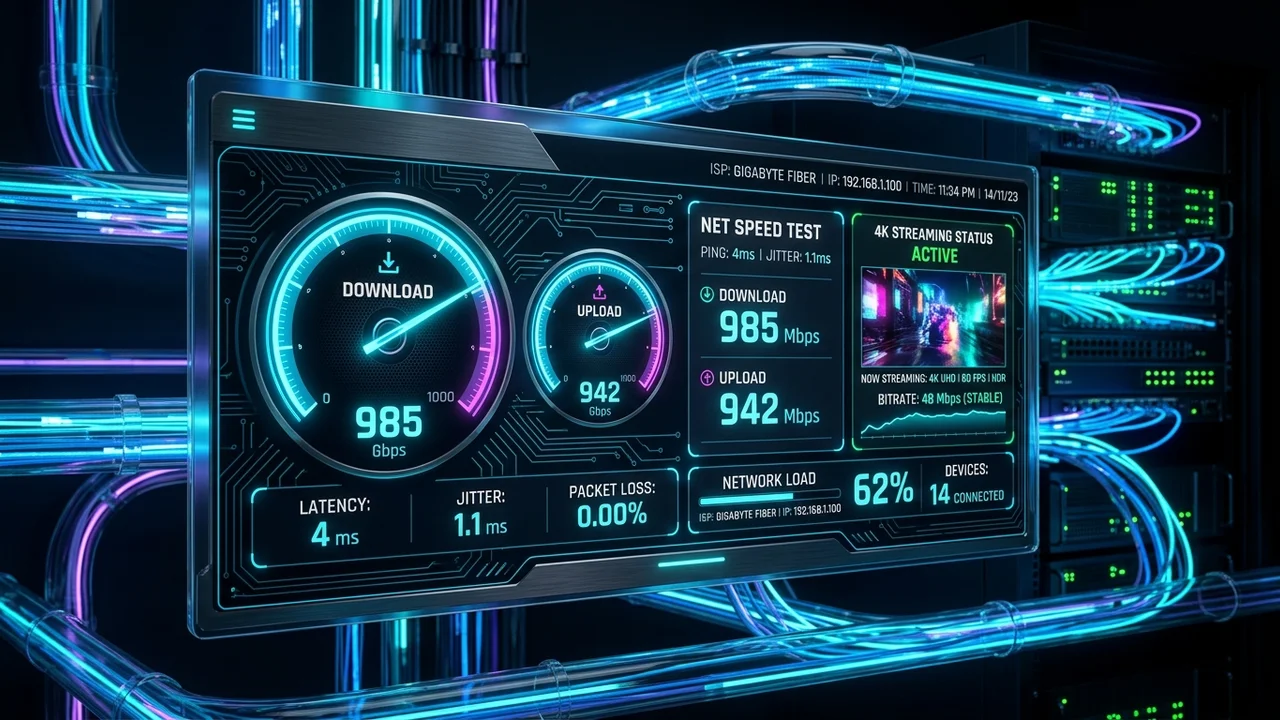
When considering IPTV, you must distinguish between internet speed and connection stability. You might have a 500 Mbps download speed, but if your Wi-Fi signal frequently drops or fluctuates, your live stream will freeze. A stable, consistent connection is just as critical as raw speed.
8. What Internet Speed Do You Need for IPTV?
The required internet speed for IPTV depends entirely on the resolution of the video you are trying to stream:
- Standard Definition (SD): Minimum of 5 to 10 Mbps.
- High Definition (HD / 1080p): Minimum of 15 to 25 Mbps.
- 4K / Ultra HD: Minimum of 35 to 50 Mbps (with 100 Mbps recommended for stability).
These are general guidelines. If you have multiple people in your home streaming Netflix, playing online games, and browsing the web simultaneously, you will need a higher total bandwidth to ensure your IPTV stream isn't starved for data. Whenever possible, connect your streaming device directly to your router using an Ethernet cable rather than relying on Wi-Fi.
Stream 2026 NFL Games in 4K & 60FPS
Get instant access to over 50,000 live sports channels, 120,000+ movies & series, and 24/7 priority sports coverage across all your favorite devices.
9. What Is VOD in IPTV?
VOD stands for Video on Demand.
While live TV streams events as they happen, VOD functions exactly like Netflix or Hulu. It is a library of recorded content—movies, TV series, documentaries, and past sporting events—that you can browse and watch whenever you want. You can pause, rewind, and fast-forward VOD content because the entire video file is sitting on the server waiting for you to access it, unlike a live broadcast.
10. What Is EPG in IPTV?
EPG stands for Electronic Program Guide.
This is the digital TV guide interface that shows you what is currently playing and what is coming up next on various channels. A good EPG makes browsing an IPTV service feel exactly like browsing a premium cable box.
The EPG is typically provided alongside your channel playlist. The IPTV player downloads the EPG data (often in an XMLTV format) and overlays the program titles, descriptions, and times onto your channel list.
11. IPTV vs Cable TV vs Satellite TV
How does IPTV compare to the traditional methods you might be used to?
| Feature | IPTV | Cable TV | Satellite TV |
|---|---|---|---|
| Delivery Method | Internet | Coaxial Cable | Satellite Dish |
| Internet Dependency | Yes, required | No | No |
| Device Flexibility | Very High (Phones, TVs, PCs) | Low (Requires Cable Box) | Low (Requires Receiver) |
| Live Streaming | Yes | Yes | Yes |
| VOD Library | Often Included | Often Included | Often Included |
| Installation | App Download | Technician Required | Technician / Dish Required |
IPTV offers unmatched portability and often significantly lower costs, but it trades the dedicated, closed-network reliability of a hardwired cable connection for internet dependency.
12. Advantages and Limitations of IPTV
To make an informed decision, it is important to look at both sides of the technology.
Advantages of IPTV
- Cost-Effective: Often a fraction of the cost of premium cable bundles.
- Massive Selection: Access to thousands of global channels and VODs.
- Device Flexibility: Watch on your TV, phone, or laptop.
- No Hardware Rentals: You don't need to rent expensive set-top boxes from a provider.
- Instant Setup: You can start streaming minutes after subscribing.
Limitations of IPTV
- Internet Reliant: If your internet goes down, your TV goes down.
- Network Congestion: Live events can occasionally suffer from buffering if the provider's servers or your local network become congested.
- App Dependency: You must use third-party apps, which can sometimes require updates or configuration.
13. Why Does IPTV Buffer?
Buffering is the most common frustration for new IPTV users. It occurs when your device plays the video faster than your internet connection can download the next chunk of data. When the memory buffer empties, the video freezes until more data arrives.
Common causes include:
- Weak Wi-Fi signals.
- Background downloads on your network.
- ISP throttling (your internet provider slowing down streaming traffic).
- Server overload on the IPTV provider’s end during major sporting events.
To fix this, try connecting your device via Ethernet, restarting your router, or using a VPN if you suspect ISP throttling.
14. Common IPTV Problems
Here is a quick troubleshooting guide for other common issues:
IPTV Not Working or Channels Not Loading
If your entire playlist fails to load, double-check your internet connection. If the internet is fine, your subscription may have expired, or the provider is experiencing downtime. You can check our FAQ page for more connectivity tips.
IPTV Login Failed
Ensure you have typed your username, password, and server URL exactly as provided. These are often case-sensitive. If you are using an M3U link, ensure the link hasn't been cut off or malformed during copy-pasting.
IPTV Has Sound but No Picture
This is almost always a codec issue. Your device is struggling to decode the specific video format of the channel. Try changing the "Video Decoder" setting in your IPTV player (for example, switching from Hardware decoding to Software decoding).
15. How to Start Using IPTV
Ready to cut the cord? Getting started is simple:
- Ensure you have a fast, stable internet connection.
- Choose a compatible device (like a Firestick, Smart TV, or Android Box).
- Download an IPTV Player app from your device's app store.
- Subscribe to a reliable IPTV service.
- Enter the login credentials or playlist URL provided by the service into your app.
- Start streaming live TV, sports, and movies!
16. Getting Started with IPTVMap
If you are looking for a powerful, user-friendly entry into the world of streaming, the IPTVMap service is built to deliver.
With IPTVMap, users gain access to a massive directory of high-quality entertainment and sports channels. Our platform is designed to work seamlessly across a wide variety of devices, ensuring you can watch what you want, when you want. Explore our subscription plans to find the right package for you, check our channel directory to see our offerings, or read through our installation guides to see just how easy it is to get started. If you run into any hurdles, our contact support team is always ready to help.
17. What Should You Look for in an IPTV Service?
When shopping for an IPTV provider, keep these critical factors in mind:
- Device Compatibility: Does the service support the specific app or device you own?
- Channel Availability: Do they carry the local or international networks you actually watch?
- Streaming Quality: Are channels available in true HD and 60fps for sports?
- Connection Stability: Does the provider have a reputation for uptime during major events?
- Pricing: Are the terms transparent without hidden fees?
- Support: Is there a reliable way to get help if something breaks?
Always test a service on your home network before committing to a long-term plan, and remember that an Ethernet connection is your best friend when streaming live TV.